Pronote RMG refers to the Pronote instance of the Roger Martin du Gard high school. Like most French public institutions, access to this space today goes through a specific authentication chain: EduConnect validates identity, the ENT (Digital Work Space) serves as a portal, and Pronote displays academic data. Understanding this architecture avoids most of the blockages encountered at the start of each school year.
Authentication Architecture: EduConnect, ENT, and Pronote RMG
Connecting to Pronote no longer works as a simple entry of an identifier on an isolated web page. For several school years now, EduConnect authenticates, the ENT hosts, Pronote displays. Each link has a distinct role.
EduConnect is the service of the Ministry of National Education that centralizes the identification of students and legal guardians. A single EduConnect username/password pair provides access to all digital services of the institution, including Pronote.
The ENT, on the other hand, is the academic or regional portal to which the Roger Martin du Gard high school is attached. Once connected to the ENT via EduConnect, a link or internal connector redirects to Pronote without requiring a second password. This is why directly searching for a URL like index-education.net/pronote in a search engine often leads to a blank page or an error message: direct access to Pronote is gradually being disabled in favor of mandatory access through the ENT.
For students of the Roger Martin du Gard high school who wish to connect to Pronote RMG, the procedure is to first go through their academy’s ENT portal, then click on the Pronote module from the interface.
Activating Your EduConnect Student Account Before First Login
Before attempting to connect to Pronote, the EduConnect account must be activated. This step is a prerequisite, not an option. Without activation, no access to the ENT or Pronote is possible.
Account Activation Steps
- Go to the official page educonnect.education.gouv.fr and select the “Student” profile.
- Enter the temporary username and provisional password provided by the institution at the beginning of the school year. This information is distributed by the main teacher or the school administration.
- Set a personal password that meets the imposed security criteria (minimum length, special characters).
- Provide a recovery email address or phone number to reset the password in case of forgetfulness.
The EduConnect username and password are not necessarily the same from year to year. Each school year may involve a new activation, depending on the institution’s choices.
Forgotten Password: Recovery Procedure
On the EduConnect homepage, a “Forgotten Password” link allows you to initiate a reset. The service sends a verification code to the email or phone number associated with the account. If no recovery information was provided during activation, only the institution’s secretary can resolve the situation. According to some sources, this manual procedure can take up to 48 hours during the back-to-school period.
Navigation in the Pronote RMG Student Space
Once connected via the ENT, the Pronote student space provides access to a set of modules organized by tabs or side menus. The content displayed depends on what the institution has chosen to activate.
The most consulted features by students include:
- The updated timetable, with real-time changes to rooms or teacher replacements.
- The homework diary and assignments to be submitted, organized by subject and due date.
- The grades and assessed skills, with details of coefficients when the institution provides them.
- The tracking of absences, tardiness, and any potential sanctions, accessible by both the student and their legal guardians.
- The internal messaging system, which allows communication with teachers within a framework regulated by the institution.
The Pronote student space is also accessible via the Pronote mobile app, available on Android and iOS stores. The initial configuration of the app requires a QR code generated from the web version of Pronote, once connected via the ENT. Without this step, the app cannot link to the correct institution.
Digital Disconnection Periods and Restricted Access on Pronote
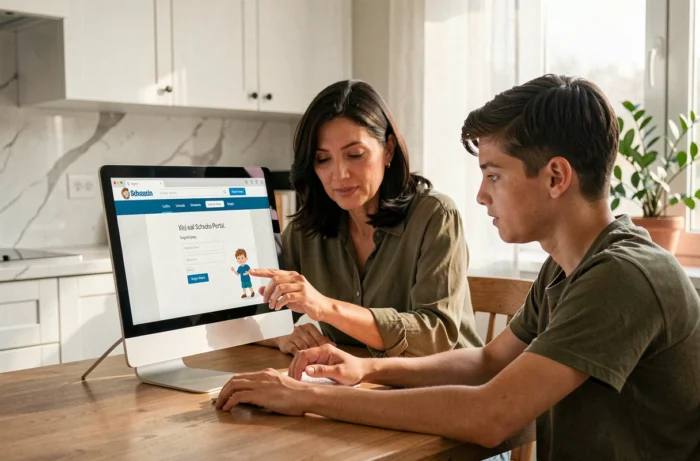
Since the end of 2025, some ENTs and Pronote instances have implemented regulatory digital disconnection periods. In practice, this means that access to Pronote may be cut off at certain times, particularly in the evening and on weekends, according to the policy defined by the rectorate or the institution.
This restriction aims to limit digital pressure on students and families. It explains why an attempt to connect in the evening may fail without a technical outage. The message displayed varies by ENT: some show an explanatory banner, while others simply return a generic error.
To check if a disconnection is scheduled, the institution’s website or the “News” section of the ENT usually publishes the affected time slots at the beginning of the school year.
Resolving a Connection Issue with Pronote RMG
A connection failure most often comes from a specific link in the EduConnect-ENT-Pronote chain. Identifying which one allows for time-saving.
If the EduConnect page itself does not load, the problem is on the ministry’s server side. Load spikes at the beginning of the school year regularly cause slowdowns. If EduConnect works but the ENT denies access, the account may not yet be linked to the correct institution. This case frequently occurs for students changing high schools: linking to the new ENT is not automatic and requires intervention from the secretary’s office.
Finally, if the ENT works but the Pronote connector displays a blank page, the browser may be the cause. Clearing the cache, disabling ad-blocking extensions, or testing with another browser resolves most of these situations. The mobile app, configured via the QR code, also bypasses this type of problem as it establishes a direct connection to the institution’s Pronote server.
The key point to remember is the sequence: first EduConnect, then the ENT, and finally Pronote. Each step has its own failure causes and troubleshooting procedures. Contacting the school administration of the Roger Martin du Gard high school remains the quickest recourse when the blockage persists after these checks.